How do I test my own local app or game in Grok Bot's browser?
What worked was an ngrok tunnel, which gives the app a public HTTPS address that you lock with a username and password and then open in Grok Bot's browser.
All Grok Bot questions: https://www.soundminds.ai/faq.
Last updated Nov 7, 2026
Short answer
In our test, Grok Bot's browser couldn't open an app running on its own computer at 127.0.0.1 or localhost and showed ERR_CONNECTION_REFUSED, even though a command on that same computer loaded the app fine.
What worked was an ngrok tunnel, which gives the app a public HTTPS address that you lock with a username and password and then open in Grok Bot's browser.
Problem
In our test, Grok Bot's browser couldn't open an app running on its own computer at 127.0.0.1 or localhost and showed ERR_CONNECTION_REFUSED, even though a command on that same computer loaded the app fine.
Fix
What worked was an ngrok tunnel, which gives the app a public HTTPS address that you lock with a username and password and then open in Grok Bot's browser.
Steps
- Start your app on a local port.
- Install ngrok on the computer running your app. Use the command for your operating system below.
Mac (with Homebrew):
brew install ngrokDebian Linux:
curl -sSL https://ngrok-agent.s3.amazonaws.com/ngrok.asc \
  | sudo tee /etc/apt/trusted.gpg.d/ngrok.asc >/dev/null \
  && echo "deb https://ngrok-agent.s3.amazonaws.com buster main" \
  | sudo tee /etc/apt/sources.list.d/ngrok.list \
  && sudo apt update \
  && sudo apt install ngrok
Run
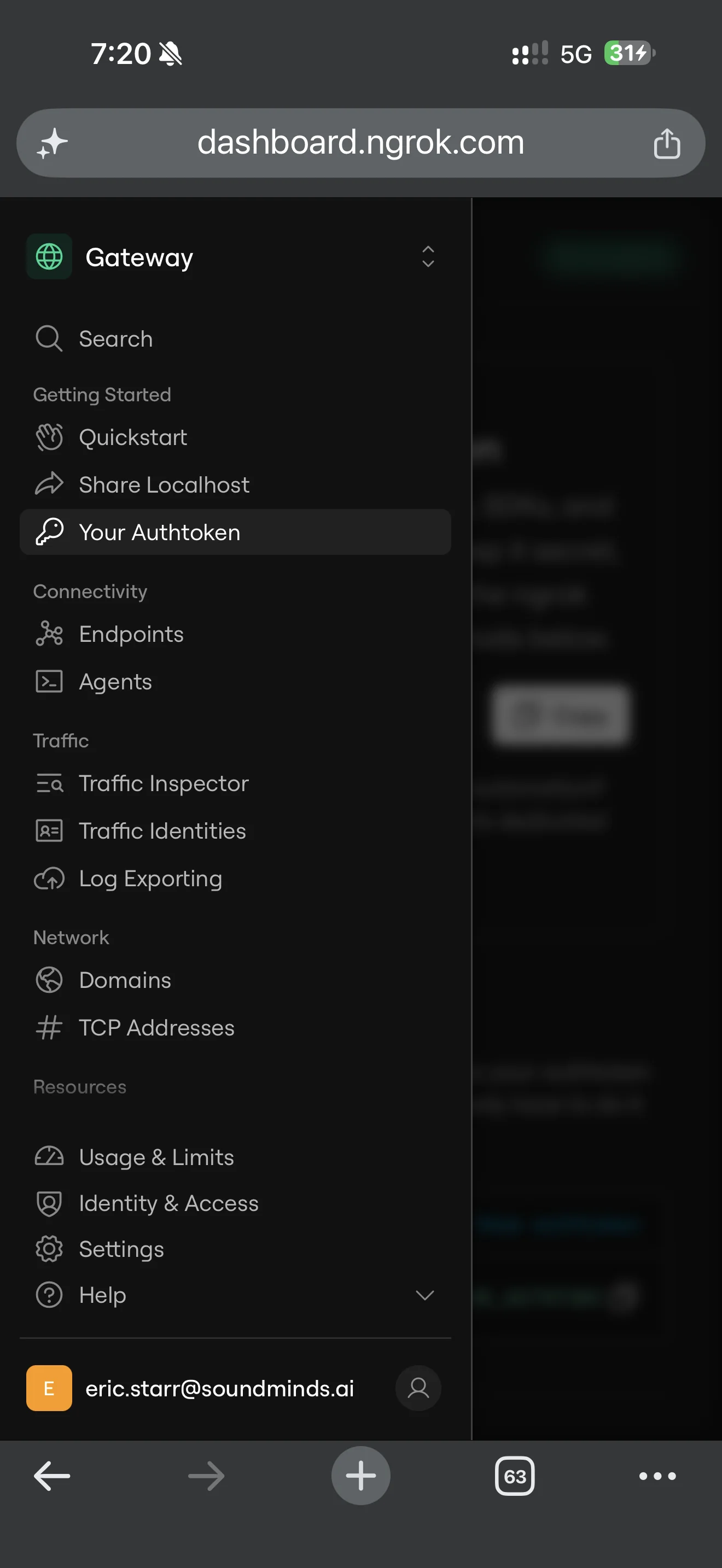
ngrok helpto check that it installed. - Sign up for an ngrok account, then connect ngrok to it. I'd start on the free plan and upgrade only if you're forced to. In my ngrok dashboard, the authtoken is under Getting Started > Your Authtoken. Keep that token private.
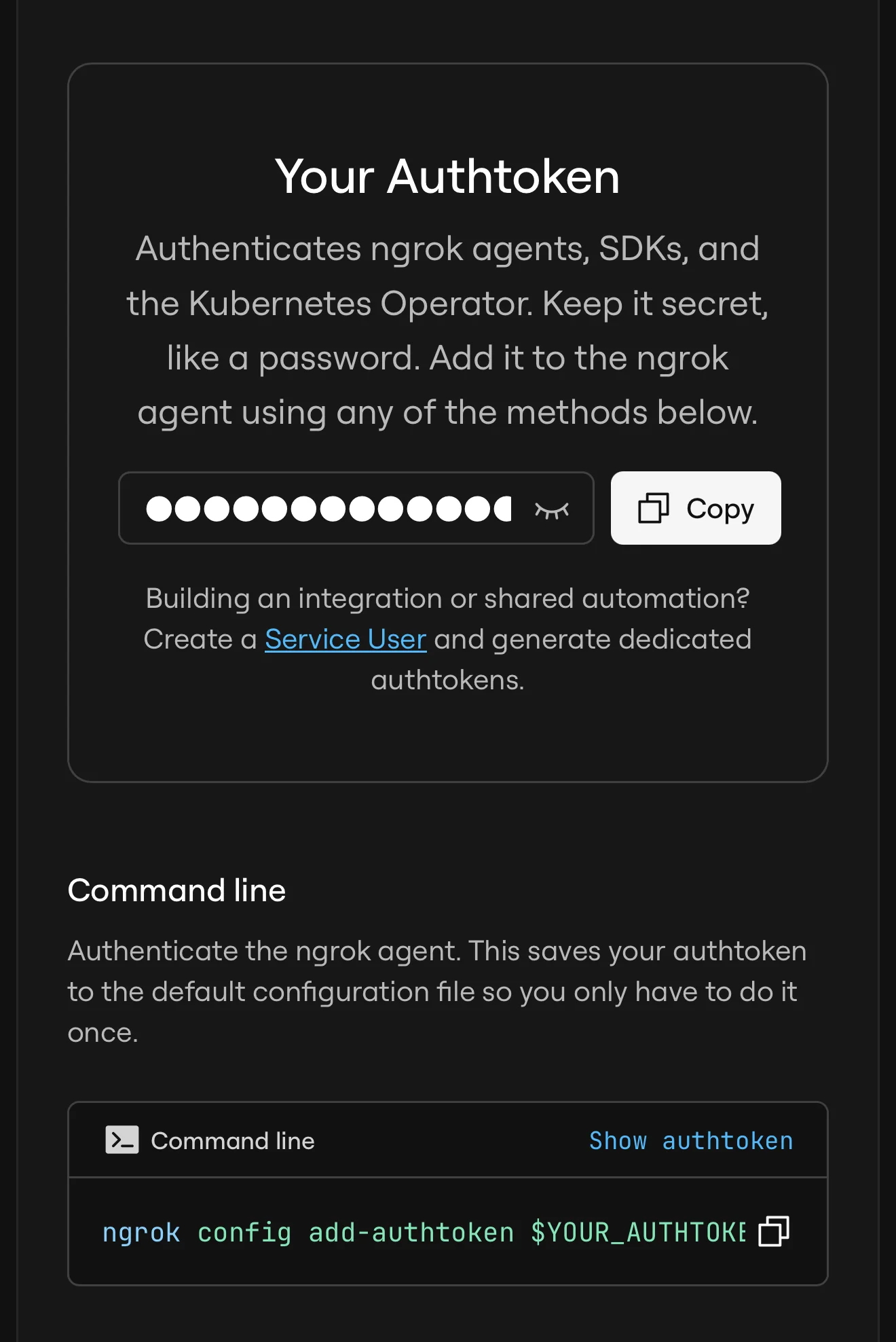
ngrok config add-authtoken <YOUR_NGROK_AUTHTOKEN> - Start an ngrok tunnel to that port with Basic Auth turned on. The current way to do that in ngrok is a traffic policy file. Save this as traffic-policy.yml, using a password of 8 to 128 characters:
on_http_request:
  - actions:
      - type: basic-auth
        config:
          credentials:
            - <USERNAME>:<PASSWORD>
Then run:
ngrok http <PORT> --traffic-policy-file traffic-policy.yml - Ask your Bot to open the tunnel's HTTPS address. If ngrok shows its free-plan warning page, continue only if you trust whoever sent the link. Click Visit Site, then sign in with the tunnel's username and password.
- In my ngrok dashboard, the live tunnel shows under Connectivity > Endpoints. Stop the tunnel when you're done by stopping the ngrok command, usually with Ctrl+C in its terminal.
Security
The password
Public endpoints are open to the internet unless you secure them with authentication, so don't skip the password. Our test without credentials got a 401.
The warning page
If ngrok shows its free-plan warning page, continue only if you trust whoever sent the link.
Short-term testing only
I think ngrok is fine for short-term testing, including automated browser tests with Playwright. Just don't leave your app exposed after the test unless you've set up stronger security behind it.
Token handling
Keep your ngrok authtoken private. Don't put a real token or password in a prompt. Enter them only in the secure secret card your Bot opens.
The certificate check (crl_noverify)
On Grok Bot's computer, ngrok couldn't fetch its certificate revocation list. We saw a "failed to fetch CRL" error, and ngrok only connected after we set crl_noverify to true. That skips a security check, so leave it off unless ngrok won't connect without it, and set it back to false afterward. To turn it on, run ngrok config check to find your config file, or ngrok config edit to open it. If your config file is version 3, add crl_noverify: true inside the existing top-level agent section, as shown below, and leave the rest of the file as it is. If it's another version, follow ngrok's configuration guide for that version instead:
agent:
  crl_noverify: true
Caveats
- Our test used the older
--basic-authflag instead of a traffic policy file. It worked, but ngrok marks it deprecated, and we haven't run the traffic policy version yet. - We haven't tested a tunnel from your own computer yet. We expect the same approach to work because ngrok can forward traffic from a public HTTPS address to an app on your computer.
- We haven't run the prompt below from start to finish yet.
For a local AI model, see my page on running a local model with Ollama.
A prompt to give your Bot
We haven't run this prompt from start to finish yet. Don't put a real token or password in the prompt. Enter them only in the secure secret card your Bot opens.
Set up an ngrok tunnel so you can test my app, which is running on port <PORT> on your computer, in your browser.
1. Install ngrok if it isn't installed, using ngrok's official instructions.
2. Ask me for my ngrok authtoken through the secure secret card, not chat. If the saved secret is available to the command as the NGROK_AUTHTOKEN environment variable, run ngrok config add-authtoken "$NGROK_AUTHTOKEN". Otherwise, stop and tell me rather than asking me to paste the token. Never print, echo, or repeat the token.
3. Ask me for the Basic Auth password through the secure secret card, not chat. Use username <USERNAME> and the saved password as one username:password string in the basic-auth policy's credentials list, then start the tunnel to port <PORT> with that policy. The password must be 8 to 128 characters. Never display the password or the completed credentials entry. If you cannot supply the saved secret securely to the policy and sign-in step, stop and tell me.
4. Open the tunnel's HTTPS address in your browser. If ngrok shows its warning page, click Visit Site, then sign in.
5. Only if ngrok fails with a "failed to fetch CRL" error, set crl_noverify: true under agent in the ngrok config, and tell me you did. Set it back to false when we're done.
6. Never share the tunnel URL publicly.
7. Stop the tunnel when I say we're done testing, and confirm it's stopped.
Sources
ngrok, HTTP/S endpoints: https://ngrok.com/docs/gateway/endpoints/http
ngrok, Basic Auth action: https://ngrok.com/docs/traffic-policy/actions/basic-auth
ngrok, ERR_NGROK_6024: https://ngrok.com/docs/errors/err_ngrok_6024
ngrok, Share Localhost quickstart: https://ngrok.com/docs/share-localhost/quickstart
ngrok, agent CLI reference: https://ngrok.com/docs/agent/cli
ngrok, agent config (crl_noverify): https://ngrok.com/docs/agent/config/v3
Grok Bot, Vault and secure sign-in: https://docs.x.ai/grok-bot/vault#api-keys-and-other-secrets
Our own test on Grok Bot's computer, Nov 7, 2026
Related
Is Grok Bot blocking local files and file:// pages? What we tested
See how I set up Grok Bot: https://www.soundminds.ai/setup.