How do I get Grok Bot, Claude Code, and Codex to work together?
They can work together on your Grok Bot's computer. Your Bot can run Claude Code from the command line and read the result back.
All Grok Bot questions: https://www.soundminds.ai/faq.
Last updated Nov 18, 2026
Part of our Grok Bot Hot Topics series
Asked on X: https://x.com/TheCraigHewitt/status/2123116427708145898
Short answer
They can work together on your Grok Bot's computer. They don't have a built-in chat with each other, but your Bot can run Claude Code from the command line, pass it a prompt or a file, and read the result back into the conversation.
I checked Anthropic's Run Claude Code programmatically page, and it says, "To run Claude Code in non-interactive mode, pass -p with your prompt and the CLI options you need".
We tested this on our Grok Bot's computer. A one-line headless prompt came back with the reply, and the command finished successfully.
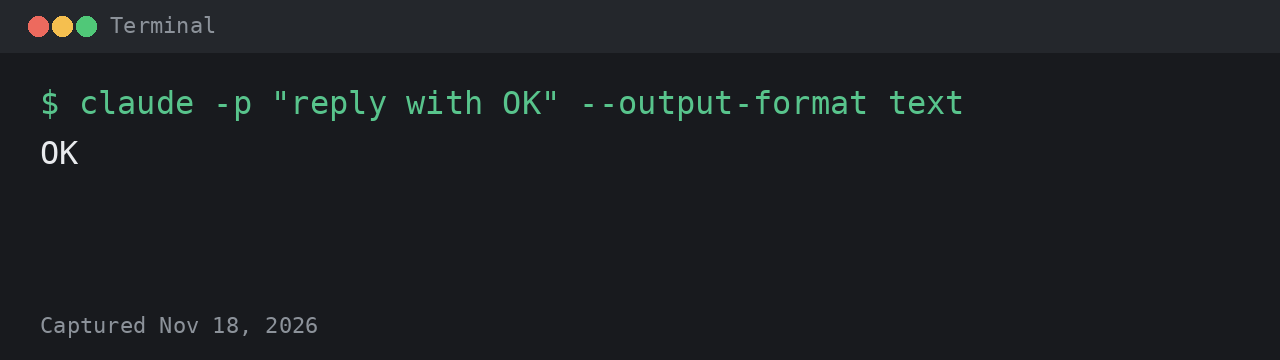
We haven't tested Codex on our Grok Bot's computer, and it isn't installed there. OpenAI's matching non-interactive command is codex exec, and the idea is the same: your Bot would run it on the command line and read the output.
How the handoff works
Your Bots work from a persistent cloud computer that has a command line and a filesystem. Files stay between tasks, and the work can continue while your laptop is closed.
Here is the pattern we use with Claude Code:
- Open a chat with your Grok Bot.
- Ask it to run Claude Code in non-interactive mode on its computer, and give it a clear prompt. If you have input in a file, tell it to pass that file in.
- Ask it to show you the output, or to write the output to a file and share that file.
The basic command is:
claude -p "your prompt here"On Anthropic's page, this example pipes a build log into Claude and writes the explanation to a file:
cat build-error.txt | claude -p 'concisely explain the root cause of this build error' > output.txtWe have not separately tested that pipe-to-a-file form, so I can't confirm how it looks on a Bot's computer. For larger inputs, write the content to a file and mention that file in your prompt instead of piping it.
Before a Bot runs a command, Auto Review checks the action. Some steps wait for your approval.
What about Codex?
We haven't tested Codex on our Grok Bot's computer, and the codex command isn't installed there. I won't guess at a setup path.
OpenAI's Non-interactive mode page is the official source for the equivalent command. You invoke it with codex exec, for example:
codex exec "your prompt here"That command prints the final message, so a Bot can capture it the same way it captures Claude Code's output. If you ask your Bot to try this and Codex isn't installed, the Bot should say so and stop.
Can this run as a routine?
Start with a one-time task, make it reliable, save the method as a skill, and only then automate it. A routine tells one Bot when to run a workflow: on a schedule, or when something happens. Routines run in the cloud while your laptop is closed.
We haven't tested a Claude Code run as a routine, so I can't tell you how that scheduled run looks yet. Get the one-time handoff working first.
A different path: Cursor Cloud Agents
If the work you want to hand off is a Cursor Cloud Agent or a Cursor Project, that's a different path. I cover that here: Can Grok Bot create and manage a Cursor Project?
The command-line tool that runs on our Grok Bot's computer is Claude Code, version 2.1.310. I wrote that inventory here: What Claude setup runs on our Grok Bot's computer?
What this does not do
This is about handing a task from your Bot to Claude Code or Codex and getting the result back. It isn't a way to export a full chat history, skills, or memory from one product into another, and I didn't find an official page that covers that kind of move.
What your Grok Bot can do
You can point your Bot at this page to adopt this practice.
Paste this into a chat with your Grok Bot.
When I ask you to hand work to Claude Code, do this:

1. Run Claude Code in non-interactive mode from the command line on your computer, using `claude -p` and the prompt I give you. If I give you a file to use as input, pass that file in. When the command finishes, show me the output, or write it to a file and share that file.

2. If I ask you to use Codex the same way, check whether the `codex` command is available. If it is, you can try `codex exec` with my prompt and show me the output. If it isn't installed, say so and stop. Don't install it unless I ask you to, and say we haven't tested Codex on this computer.

3. Don't spend, send, post, or change production systems. If a step needs my approval, wait for it.

4. If I ask you to put this on a schedule, say we haven't tested a Claude Code run as a routine, and wait for my yes before you create one.
Sources
- Run Claude Code programmatically, Anthropic. Retrieved Nov 18, 2026.
- Non-interactive mode, OpenAI / ChatGPT Learn, for
codex exec. Retrieved Nov 18, 2026. - Use the computer and apps, SpaceXSI's Grok Bot docs. Retrieved Nov 18, 2026.
- How Grok Bot works, SpaceXSI's Grok Bot docs. Retrieved Nov 18, 2026.
- Skills and routines, SpaceXSI's Grok Bot docs. Retrieved Nov 18, 2026.
- Our own tests of Claude Code headless on our Grok Bot's computer, including Nov 18, 2026. We have not tested Codex, and we have not tested Claude Code as a routine.
- Related pages, for the install inventory and the Cloud Agent path only: What Claude setup runs on our Grok Bot's computer? and Can Grok Bot create and manage a Cursor Project?.
See how I set up Grok Bot: https://www.soundminds.ai/setup.